 Flock
FlockHow Flock works
Somebody has an idea for Friday. Here’s every step, from the first invite to splitting the bill.
Every step of a plan
Five of them, from the first invite to settling up.
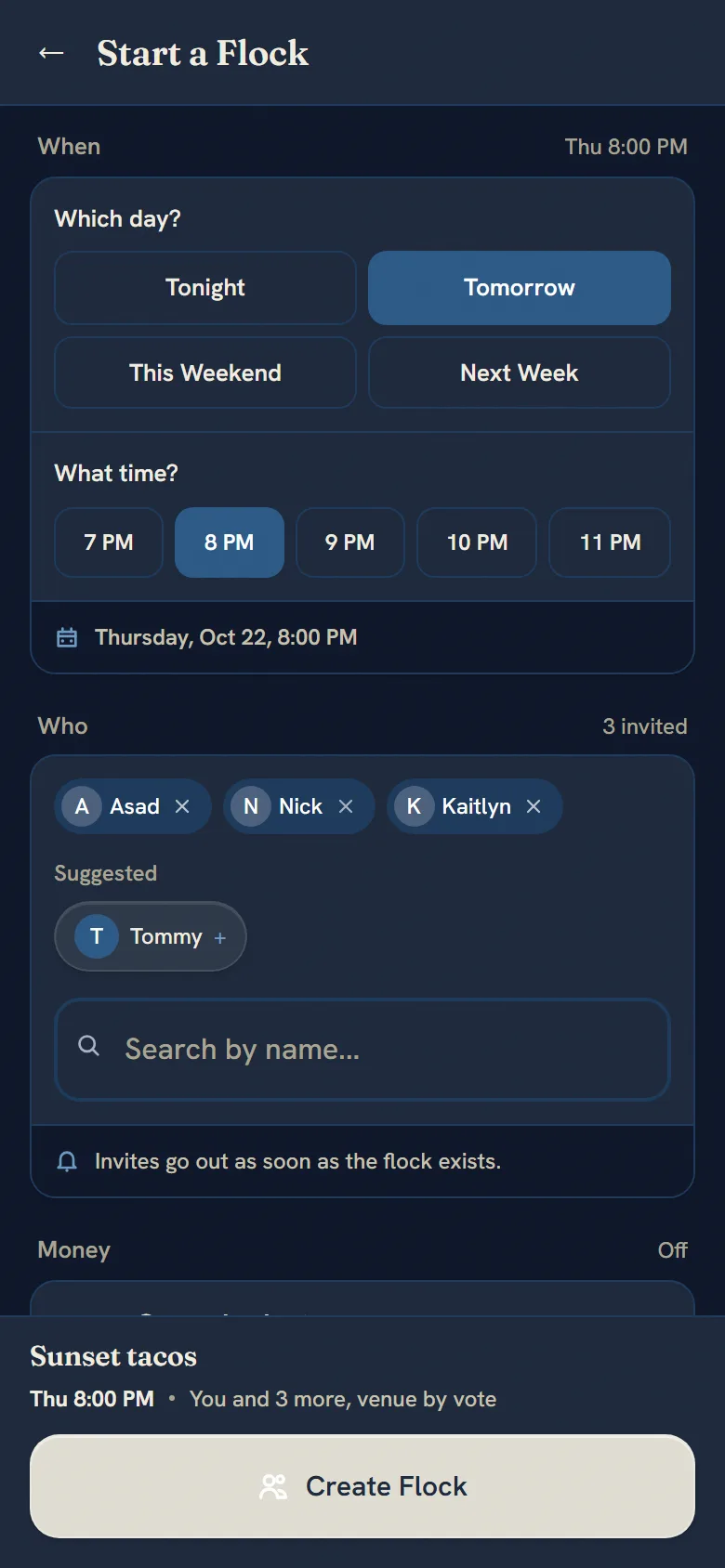
Start a flock
Pick a day and time and invite your friends. Anyone without the app gets a link and joins from the browser, budget included, no account needed.
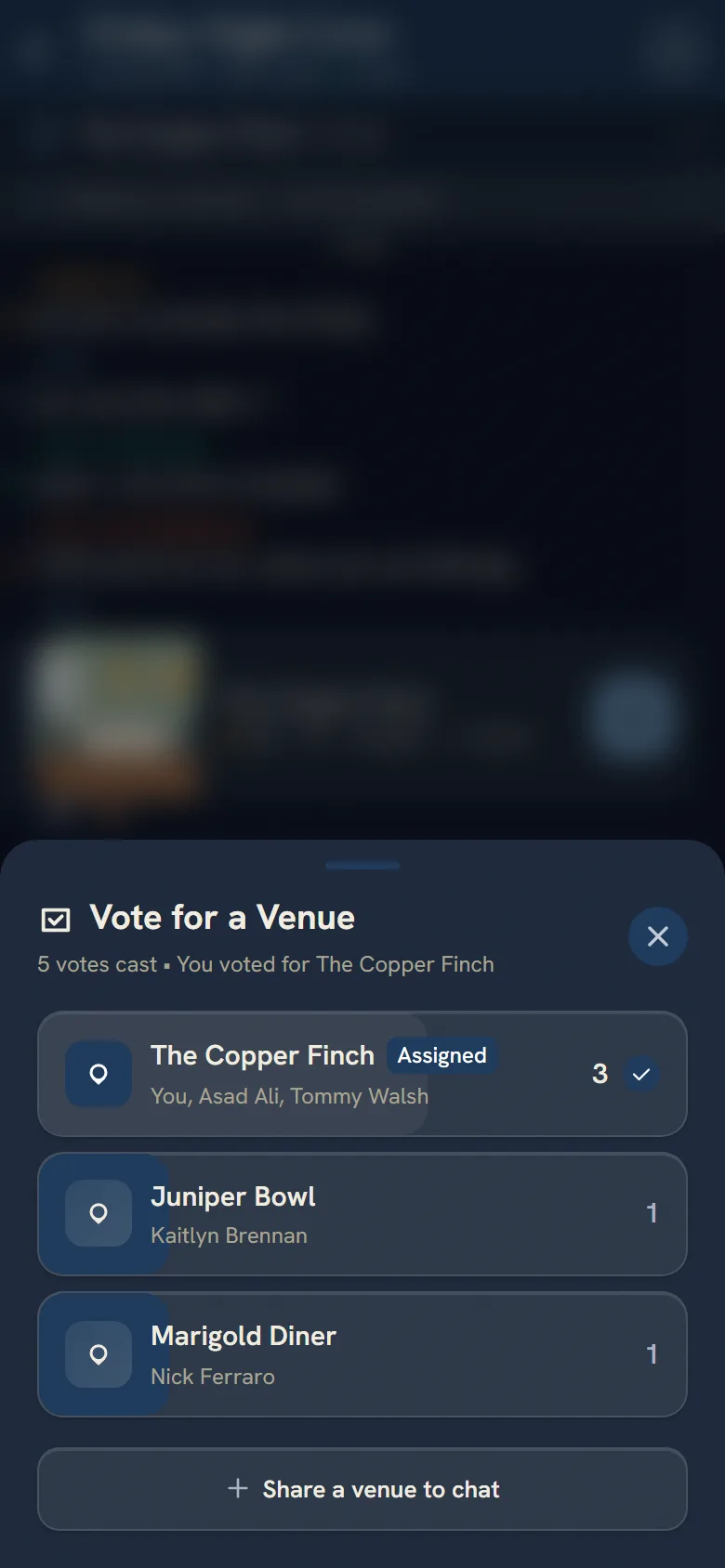
Pick the place together
Anyone in the flock can add places. Each card shows how busy the place usually gets at that hour, plus any deal or event a verified venue has posted. Then everyone votes, so nobody gets stuck deciding.
Out of ideas? Ask Birdie for spots near you that fit the group. Birdie is AI, built on Google’s Gemini, and it asks before it does anything for you.
Budgets stay private
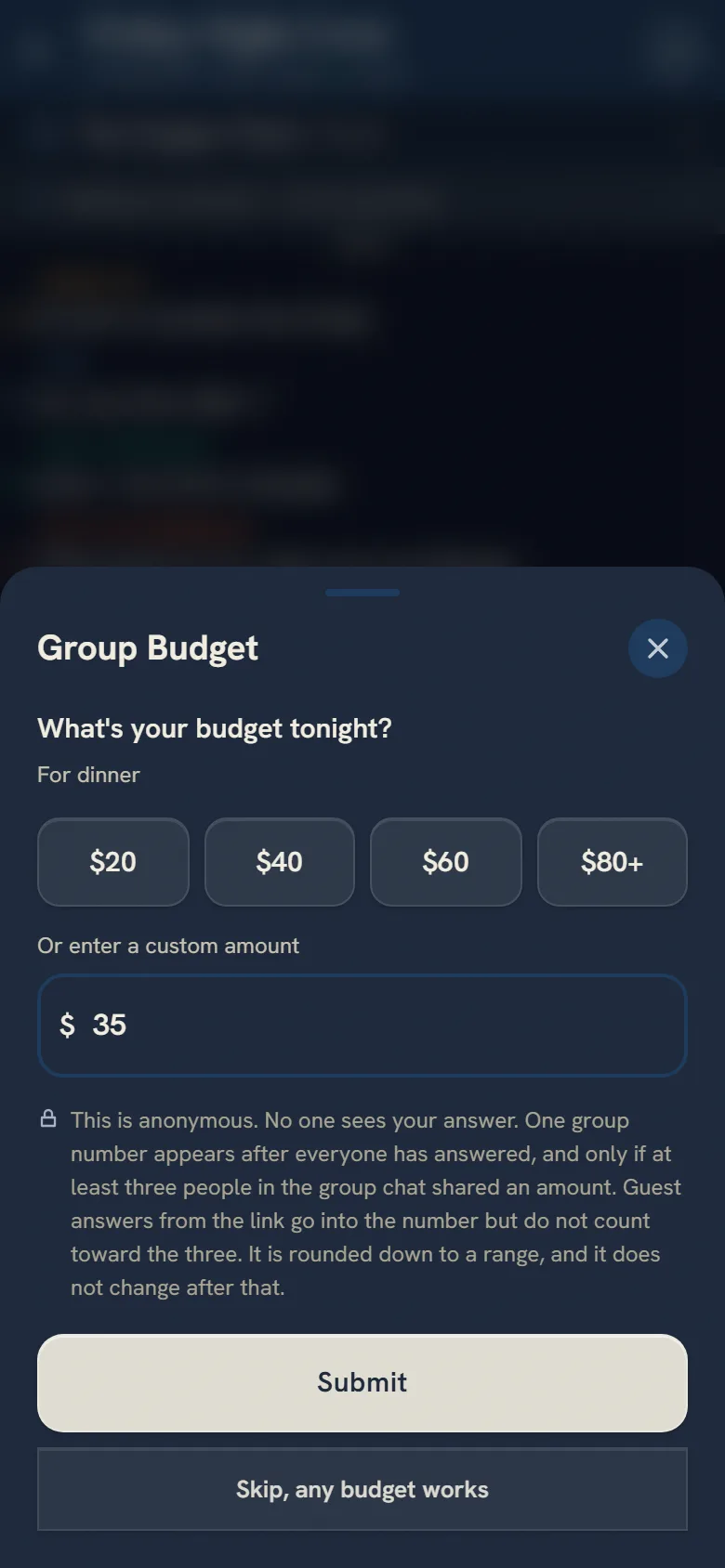
Everyone types what they can spend, and only they see it. Once at least three members have put in an amount, and everyone going has answered or the creator locks it, the group gets one number. It’s rounded down, so it’s never anyone’s exact budget, and the places Flock suggests stay under it.
On the night
Before a deadline, the chat asks “Still in?” and counts the yeses, so you know who’s actually coming. Check how busy the place is before you leave.
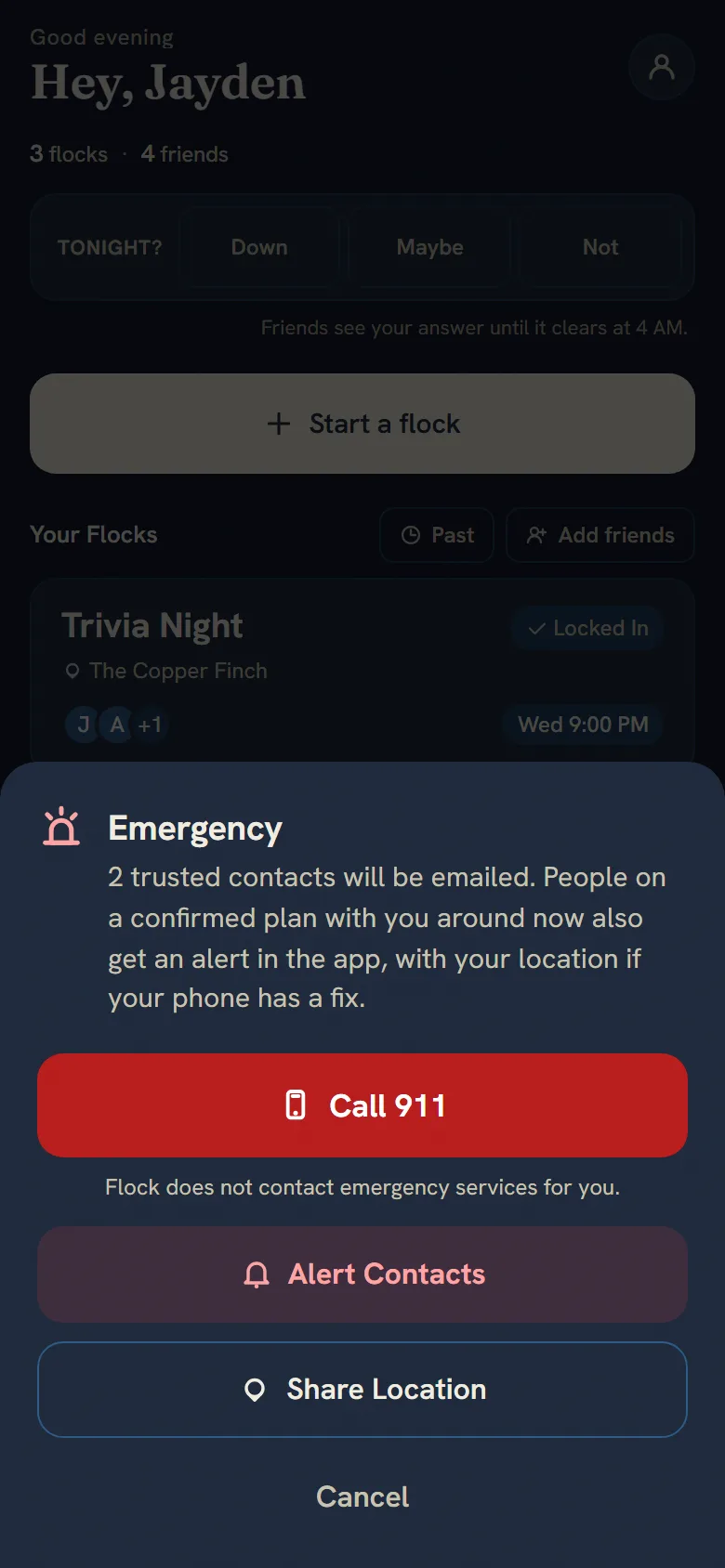
You can share your live location with the group while the plan is on, if you want. If something goes wrong, two taps on SOS send where you are to the people you picked.
Settle up
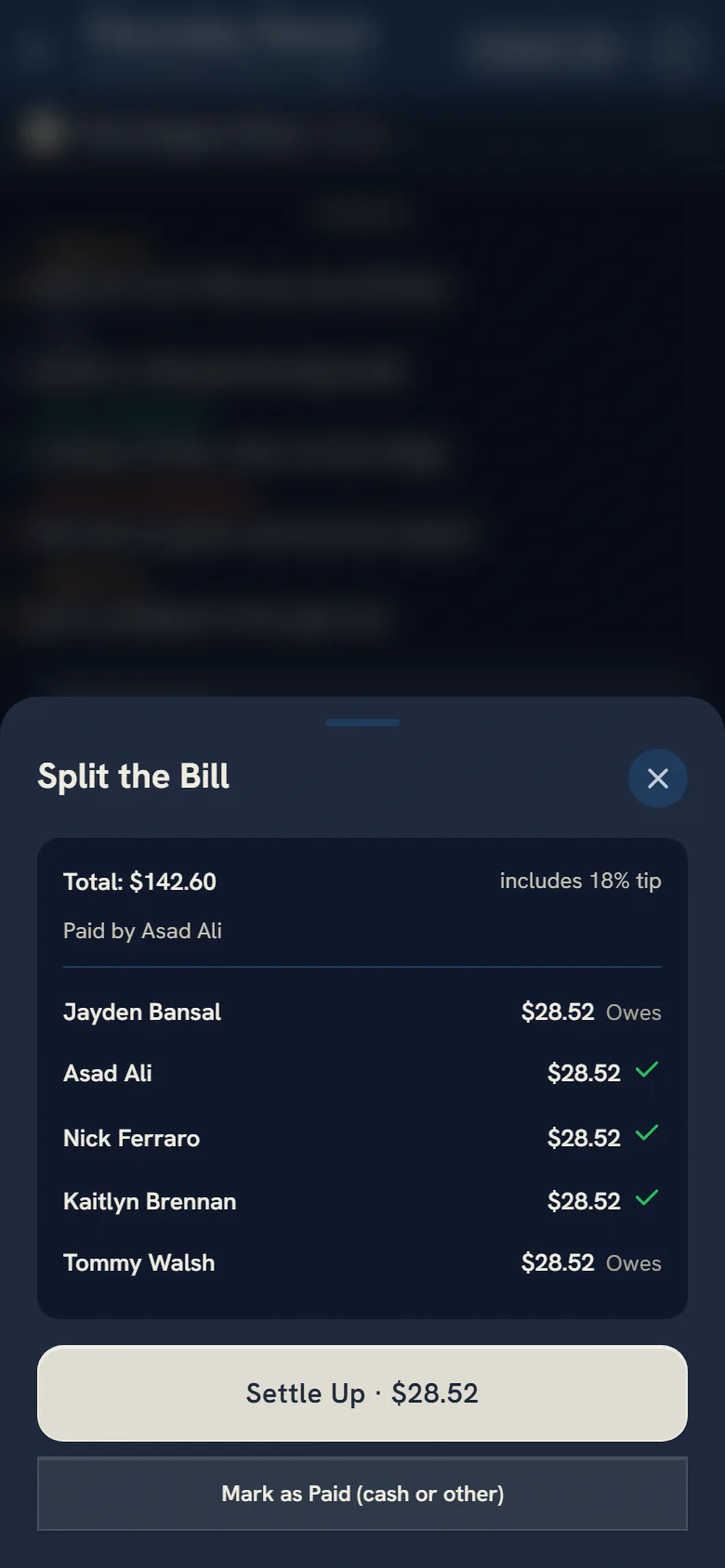
Whoever paid enters the total, and Flock splits it. Everyone gets a Venmo or Cash App link for their share, or Zelle instructions.
The four AIs inside
The video names them. Here’s what each one does.
- Starling
- Forecasts how busy a place will be. It is 800 decision trees, tested on cities it never saw.
- Birdie
- Built on Google’s Gemini. Helps a group pick a place, and asks permission first.
- Owl
- A small neural network on the Flux heat sensor. It counts heads, and only the count leaves the device. So far it has been tested on research footage, not in a venue.
- Roost’s advisor
- Answers a venue owner’s questions. It isn’t allowed to write a single digit, so every number it shows comes from measured data.
Each one, with the figures from the video, is on How the AI works. Owl’s sensor has a page of its own: Flux.
If you run a venue
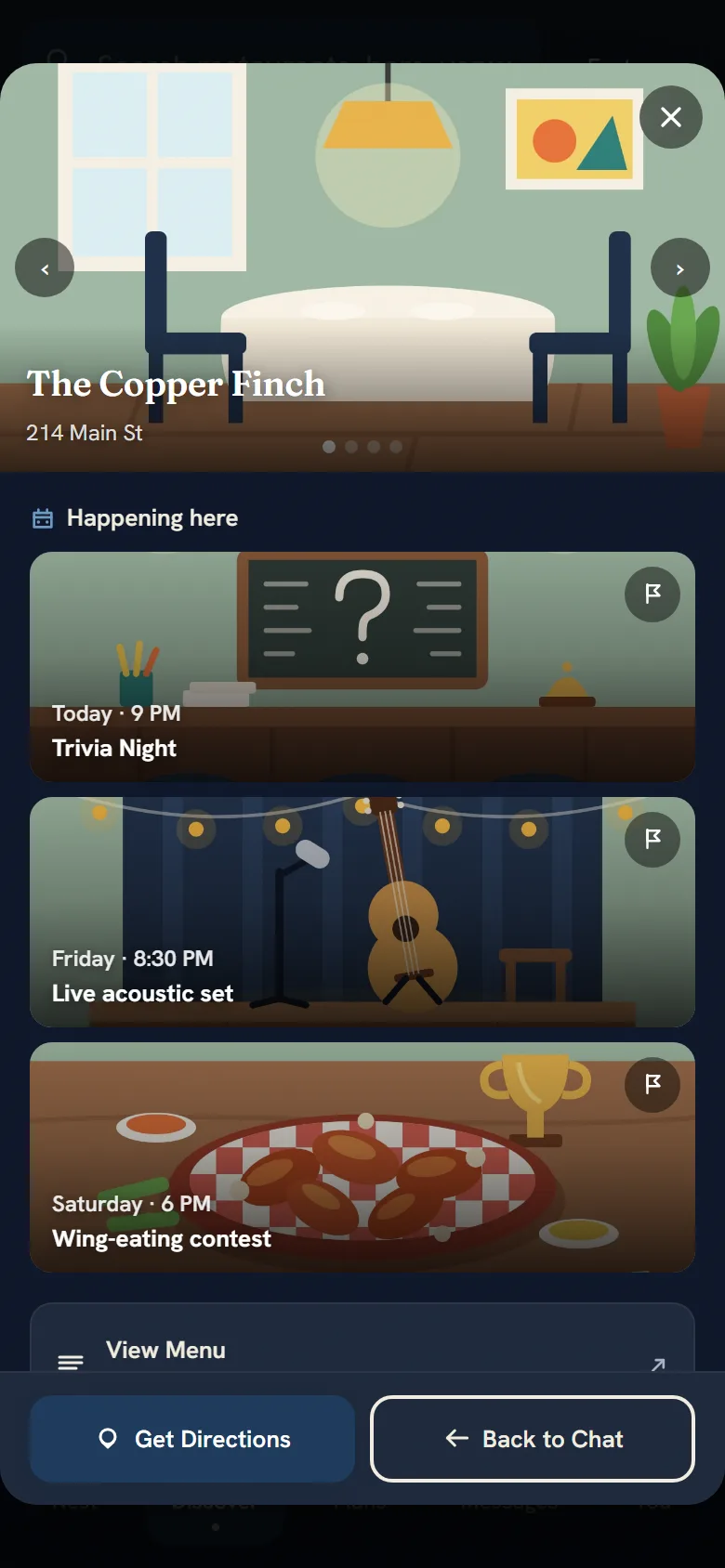
A free venue account shows which flocks have you in their vote this week, and you can reply to reviews. Once your venue is verified, your deals go on its card, and your events show under “Happening here”.
Roost, the paid plan, adds your own hour-by-hour forecast and the advisor above. No venue is being charged yet. Want in early? Write to social@flockcorp.com.
Try it on your next plan.
Flock runs in your browser today. The iPhone app is with Apple for review.